← All work
FW®
[ 01 ] PROBLEM[ 02 ] SOLUTION[ 03 ] PROCESS01 / 22
// CASE STUDY · ESOTIQ

Europe's first
autonomous
lingerie store

Designing a self-service experience – from the queue to the receipt

ESOTIQYOUR DISCREET LINGERIE BOUTIQUE
FW®
[ 01 ] PROBLEM[ 02 ] SOLUTION[ 03 ] PROCESS02 / 22
// TL;DR
[ BEFORE ]

Idea / concept

[ AFTER ]

Fully working store

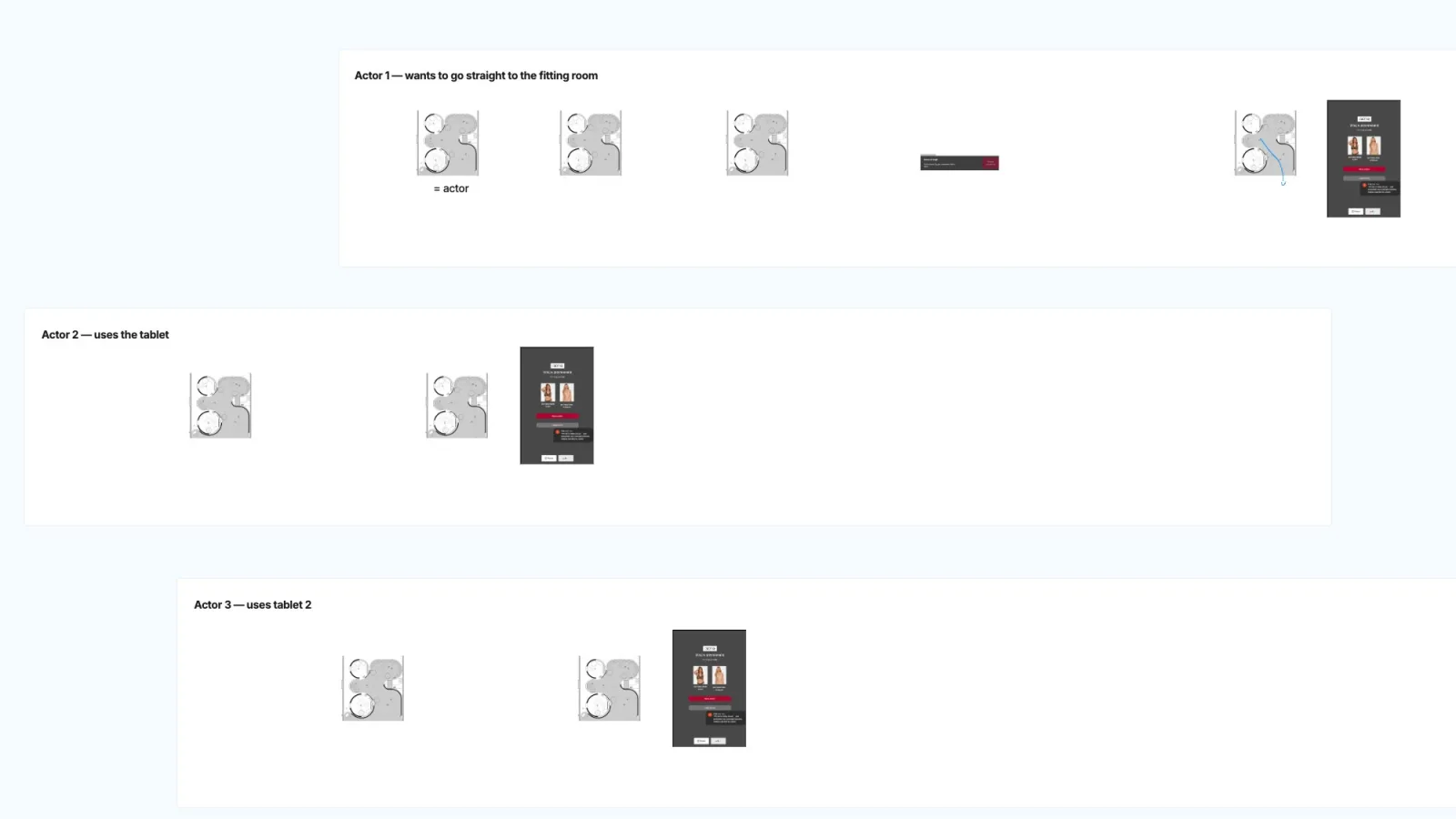
FigJam board mapping how customers could join the queueFIGJAM BOARD
THE STORE

You buy lingerie with no staff and no walking around the store – everything is delivered to a closed fitting room.

2ROUNDS OF USABILITY TESTS THAT LET US TEST EVERY STEP THOROUGHLY
FW®
[ 01 ] PROBLEM[ 02 ] SOLUTION[ 03 ] PROCESS03 / 22

No staff inside. Separate fitting rooms. Queues that can start anywhere.

[ 01 ] CHAPTERSLIDES 04–09

Problem

FW®
[ 01 ] PROBLEM[ 02 ] SOLUTION[ 03 ] PROCESS04 / 22
// THE PROBLEM

How do you design a lingerie store with no staff – where fitting rooms are separate and queues can form?
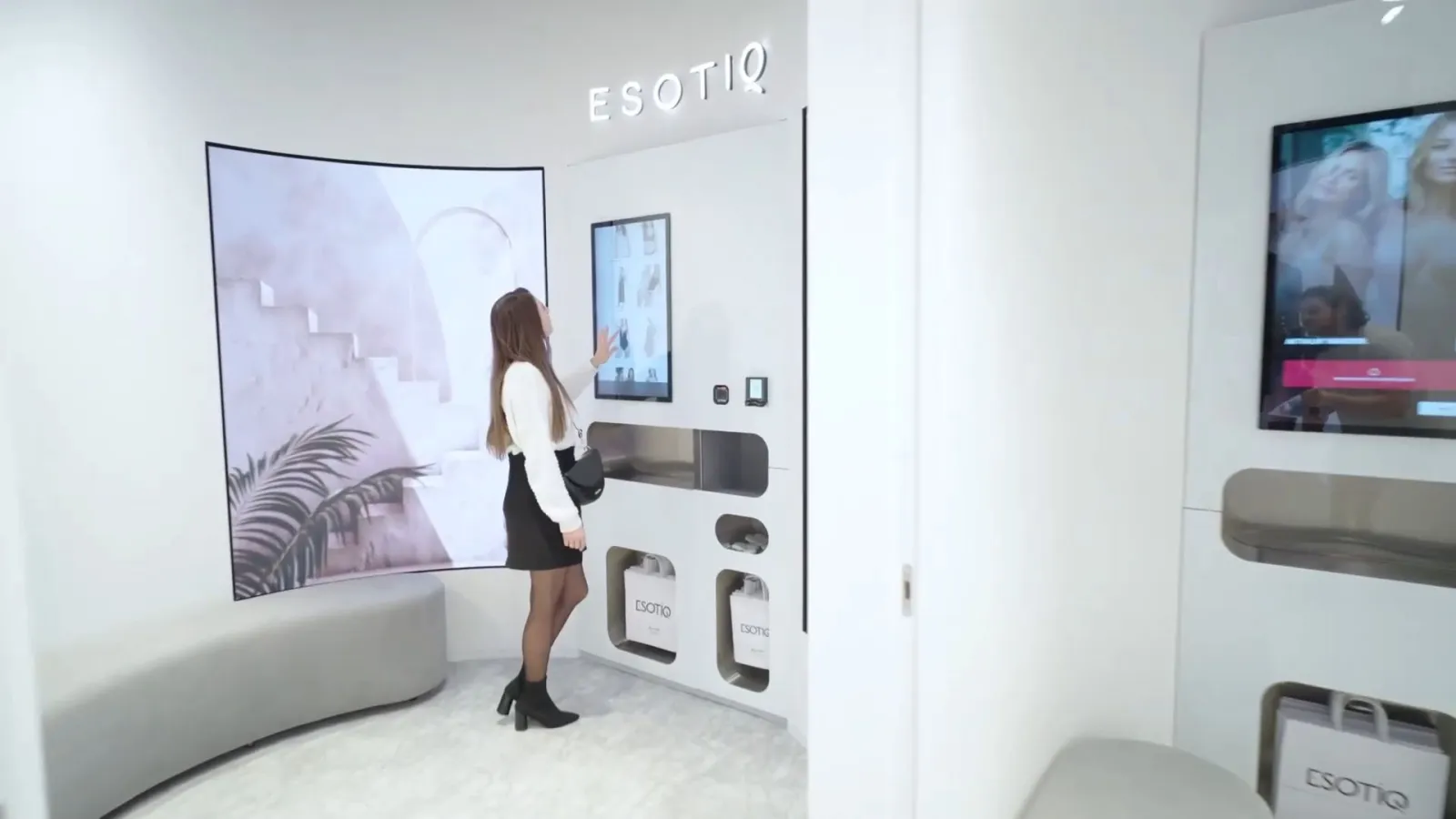
Customer in a closed fitting room with a touchscreen and product hatches
FW®
[ 01 ] PROBLEM[ 02 ] SOLUTION[ 03 ] PROCESS05 / 22
// THREE WAYS IN

A customer can start the experience from three places
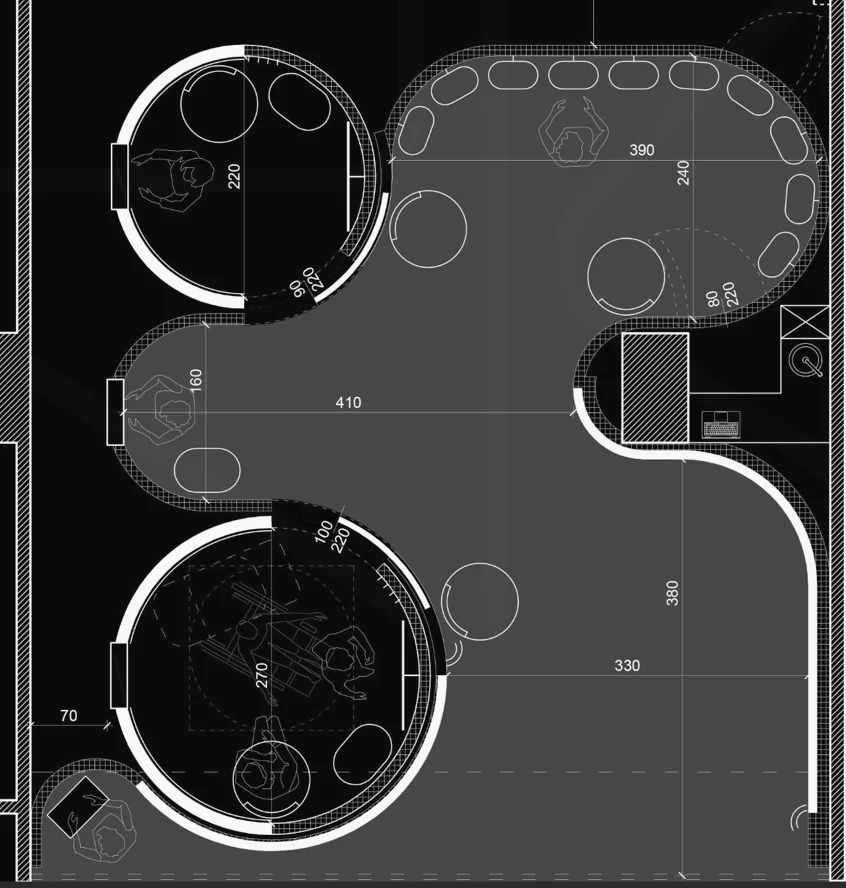
AOutside-of-store tablet
BIn-store tablets
CStraight to the fitting room
Floor plan of the Esotiq store
ABC
FW®
[ 01 ] PROBLEM[ 02 ] SOLUTION[ 03 ] PROCESS06 / 22
// WAY IN · A

From the tablet outside the store

[ A ] OUTSIDE-OF-STORE TABLET
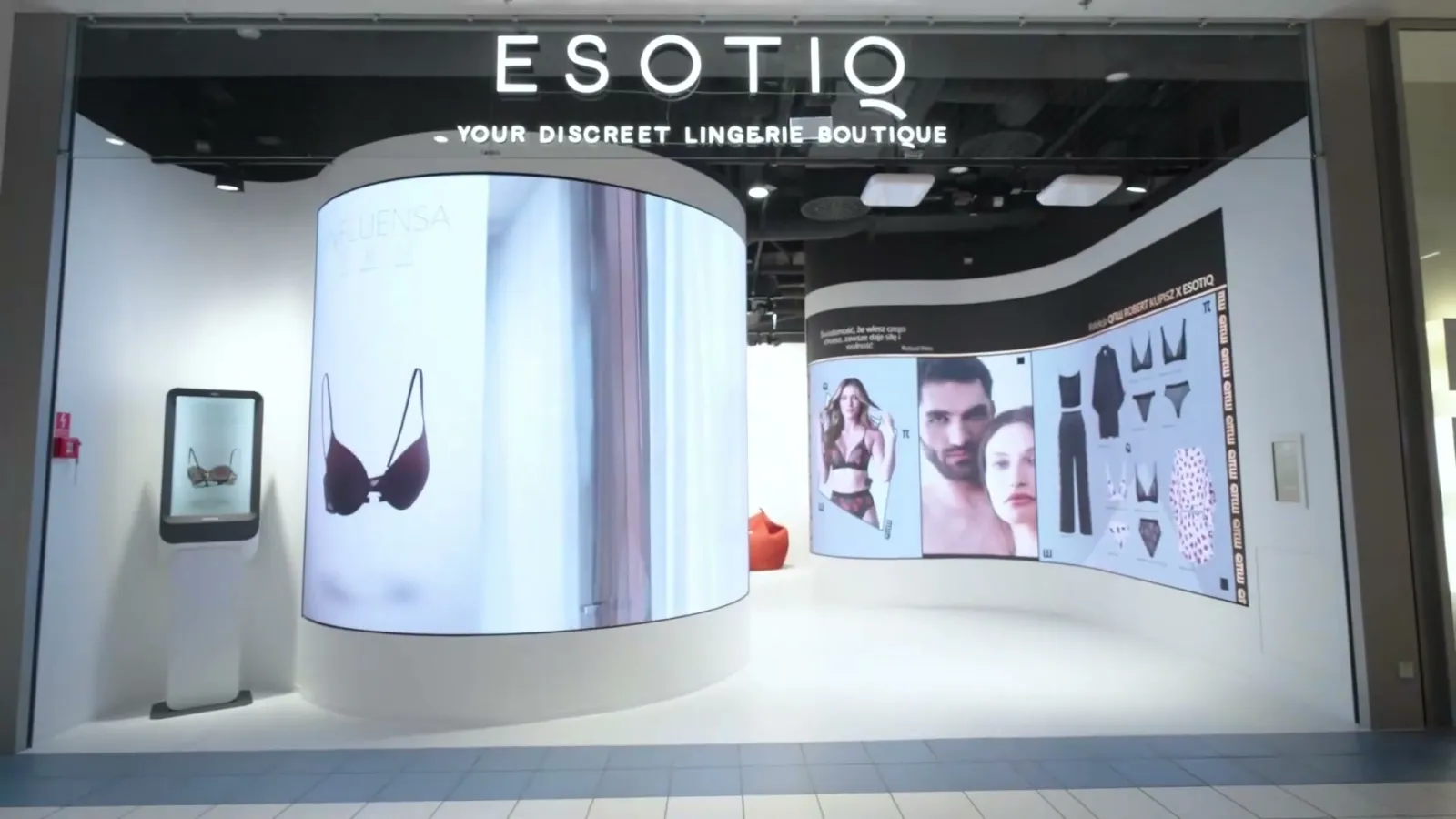
Storefront: the queue tablet stands on the left, by the entrance
A← THE QUEUE TABLETIN THE STORE
Floor plan of the Esotiq store
ABC
FW®
[ 01 ] PROBLEM[ 02 ] SOLUTION[ 03 ] PROCESS07 / 22
// WAY IN · B

From a tablet inside the store

[ B ] IN-STORE TABLETS
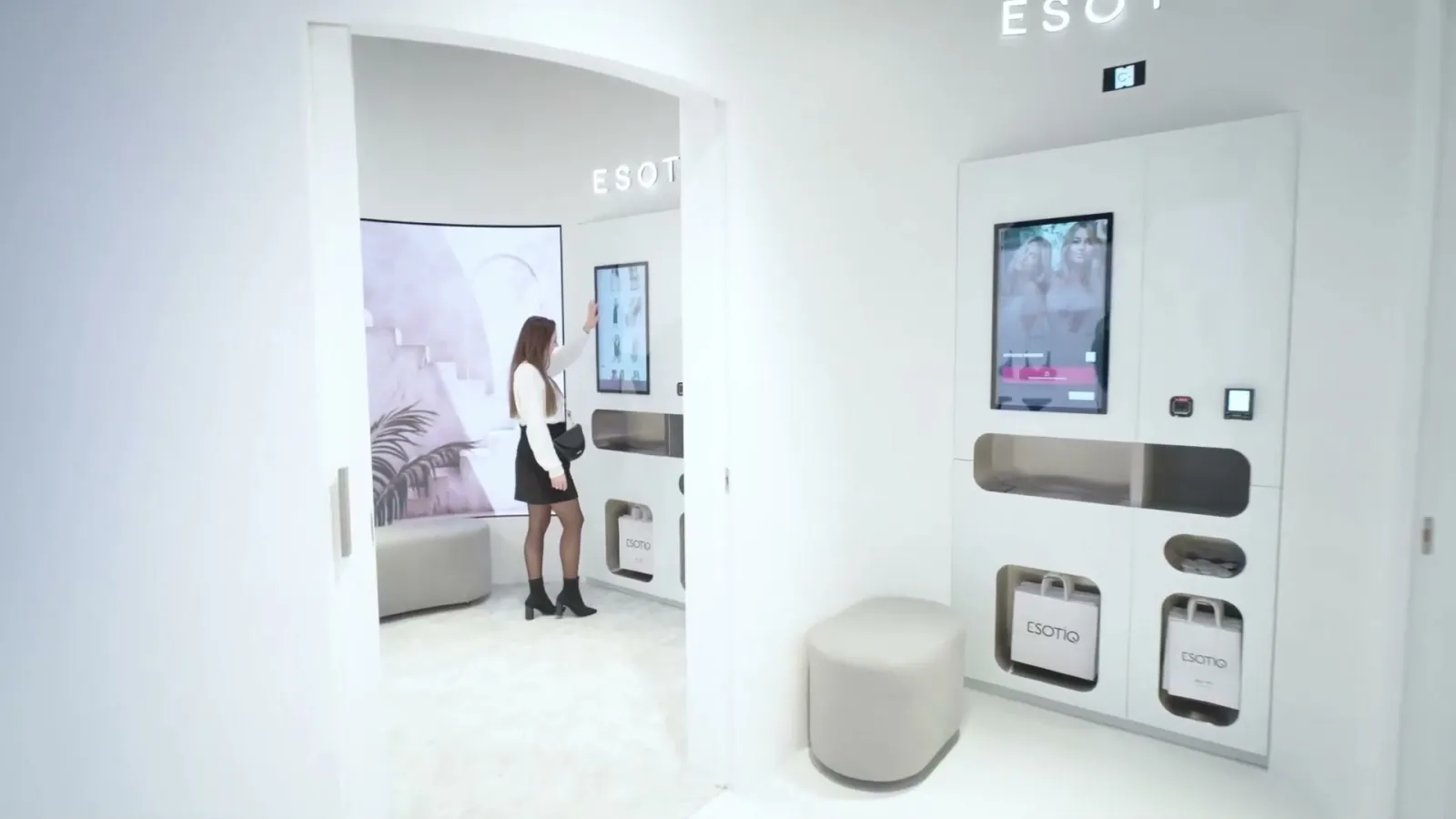
Fitting room entrance with the wall-mounted tablet on the right
B↑ THE WALL TABLETIN THE STORE
Floor plan of the Esotiq store
A
BC
FW®
[ 01 ] PROBLEM[ 02 ] SOLUTION[ 03 ] PROCESS08 / 22
// WAY IN · C

Straight into the fitting room

[ C ] FITTING ROOM
IN THE STORE
Floor plan of the Esotiq store
ABC
FW®
[ 01 ] PROBLEM[ 02 ] SOLUTION[ 03 ] PROCESS09 / 22
// TWO RELATED PROBLEMS
[ 01 ]

How do we give customers the greatest possible sense of intimacy throughout the experience?

[ 02 ]

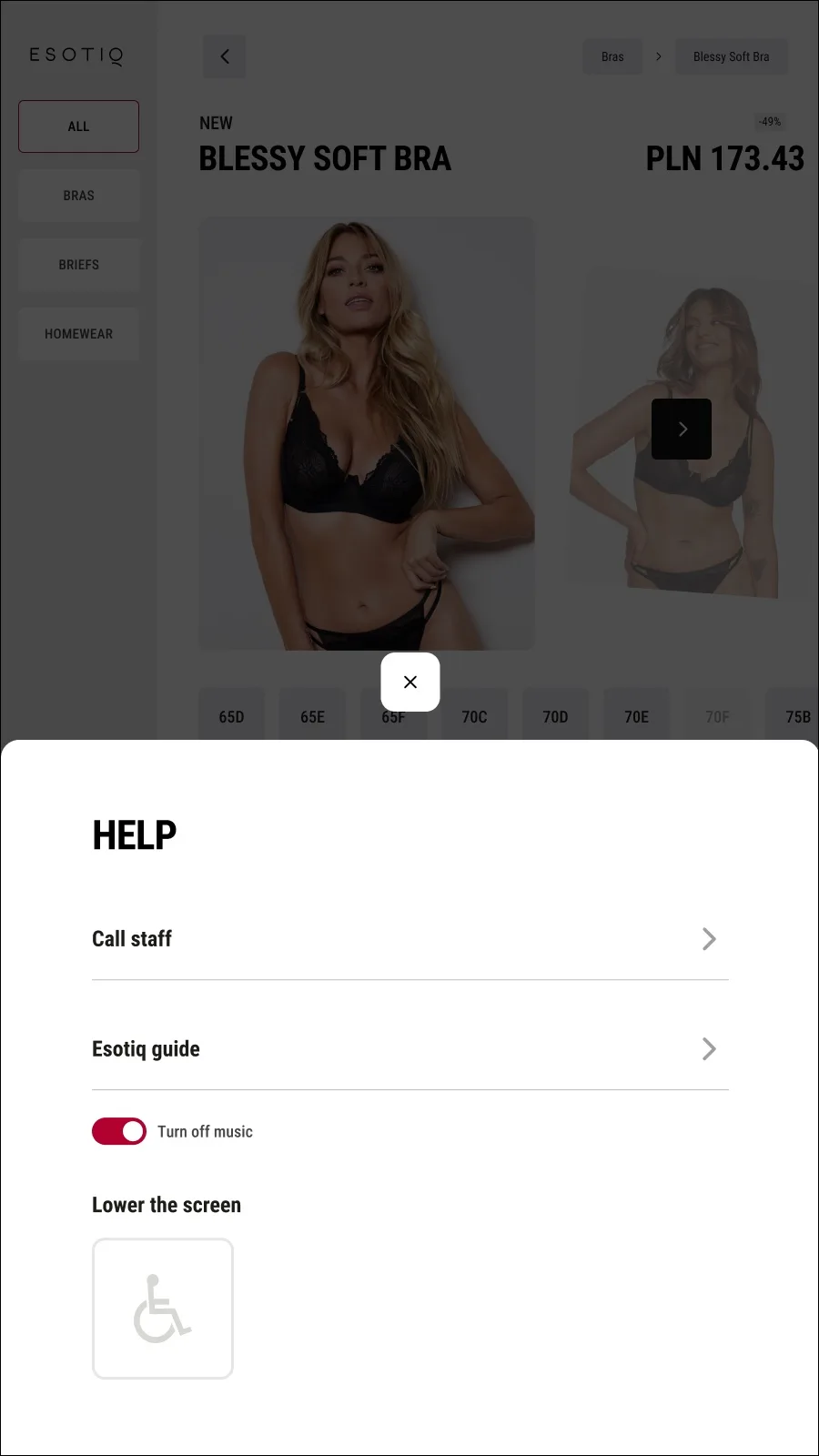
How do we assist people with disabilities and those less confident with technology?

Model in black Esotiq lingerie, seen from behind
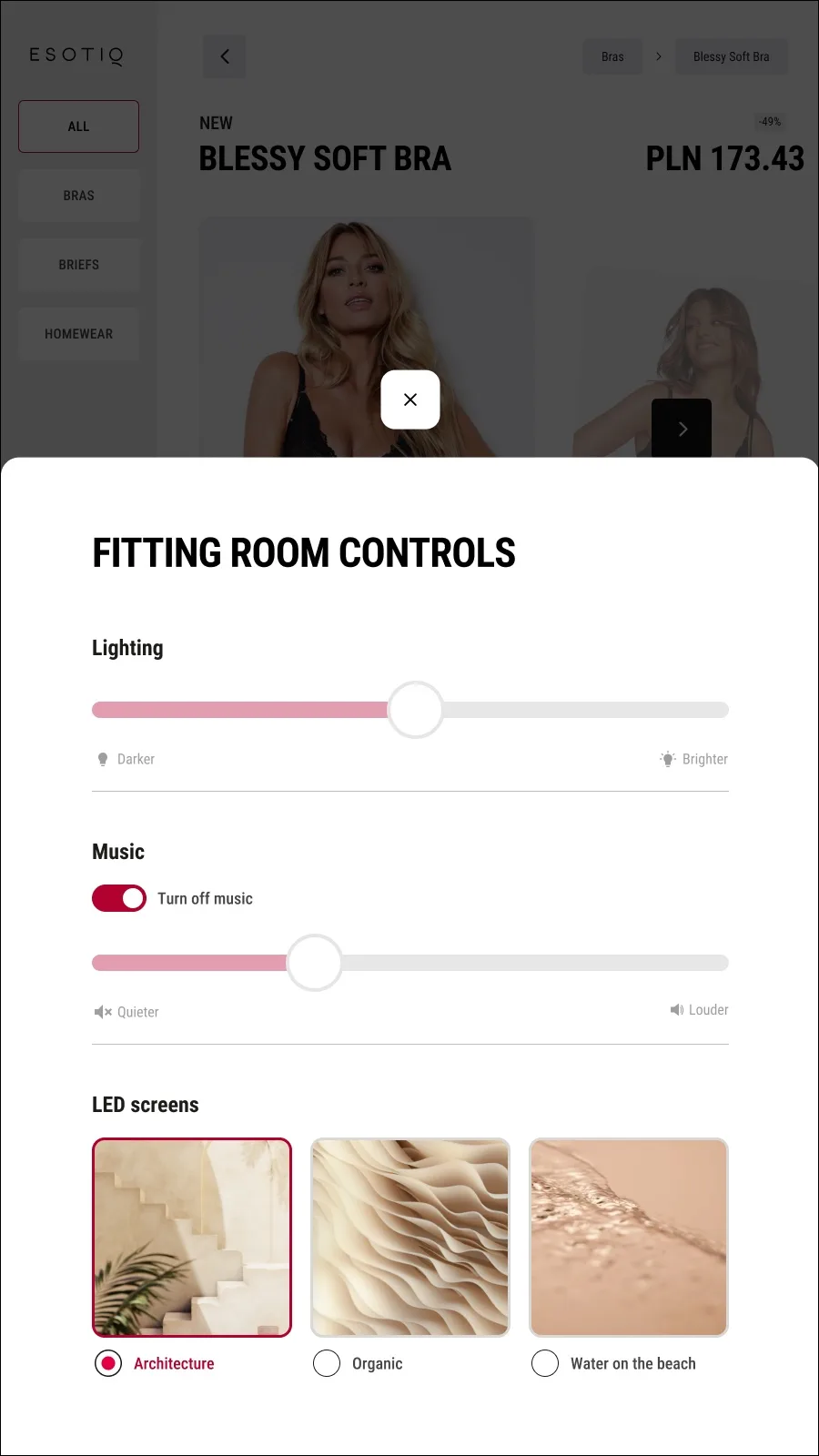
Fitting room controls screen: lighting, music and LED scenesFITTING ROOM CONTROLS
Help screen with a call-staff optionHELP
Store screen scaled down to 75% for wheelchair usersWHEELCHAIR VIEW · 75%
FW®
[ 01 ] PROBLEM[ 02 ] SOLUTION[ 03 ] PROCESS10 / 22

One flow – from taking a number to getting the receipt.

[ 02 ] CHAPTERSLIDES 11–18

Solution

FW®
[ 01 ] PROBLEM[ 02 ] SOLUTION[ 03 ] PROCESS11 / 22
// THE STARTING POINT

Let's assume the experience starts at the tablet outside the store

Outside tablet screen: join the queue
[ A ] OUTSIDE-OF-STORE TABLETJoin the queue

Take a number and join the queue – before you even walk in.

Floor plan of the Esotiq store
ABC
A → FITTING ROOM
FW®
[ 01 ] PROBLEM[ 02 ] SOLUTION[ 03 ] PROCESS12 / 22
// THE FLOW

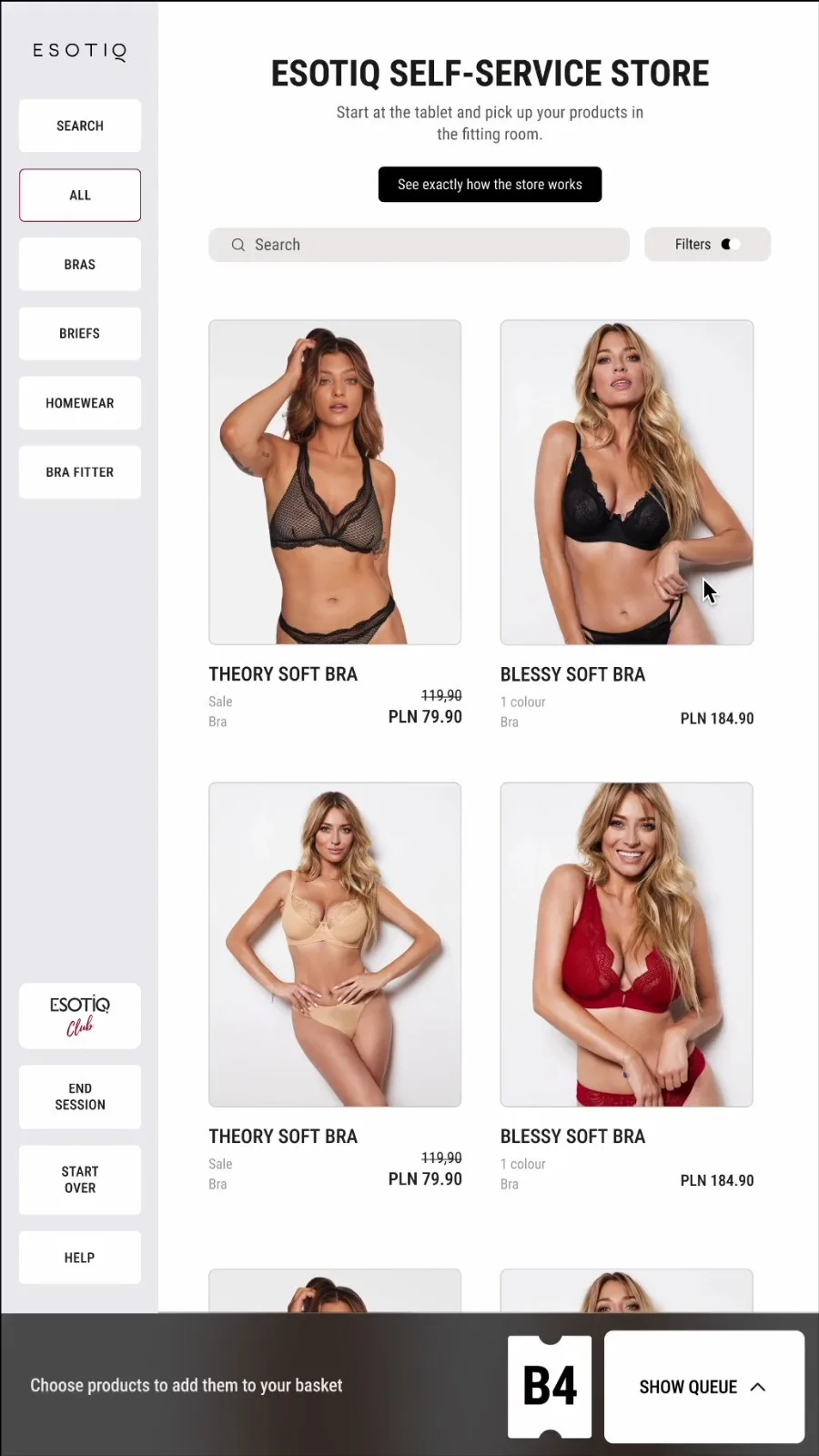
From taking a number to paying – in four steps

Screen: join the queue
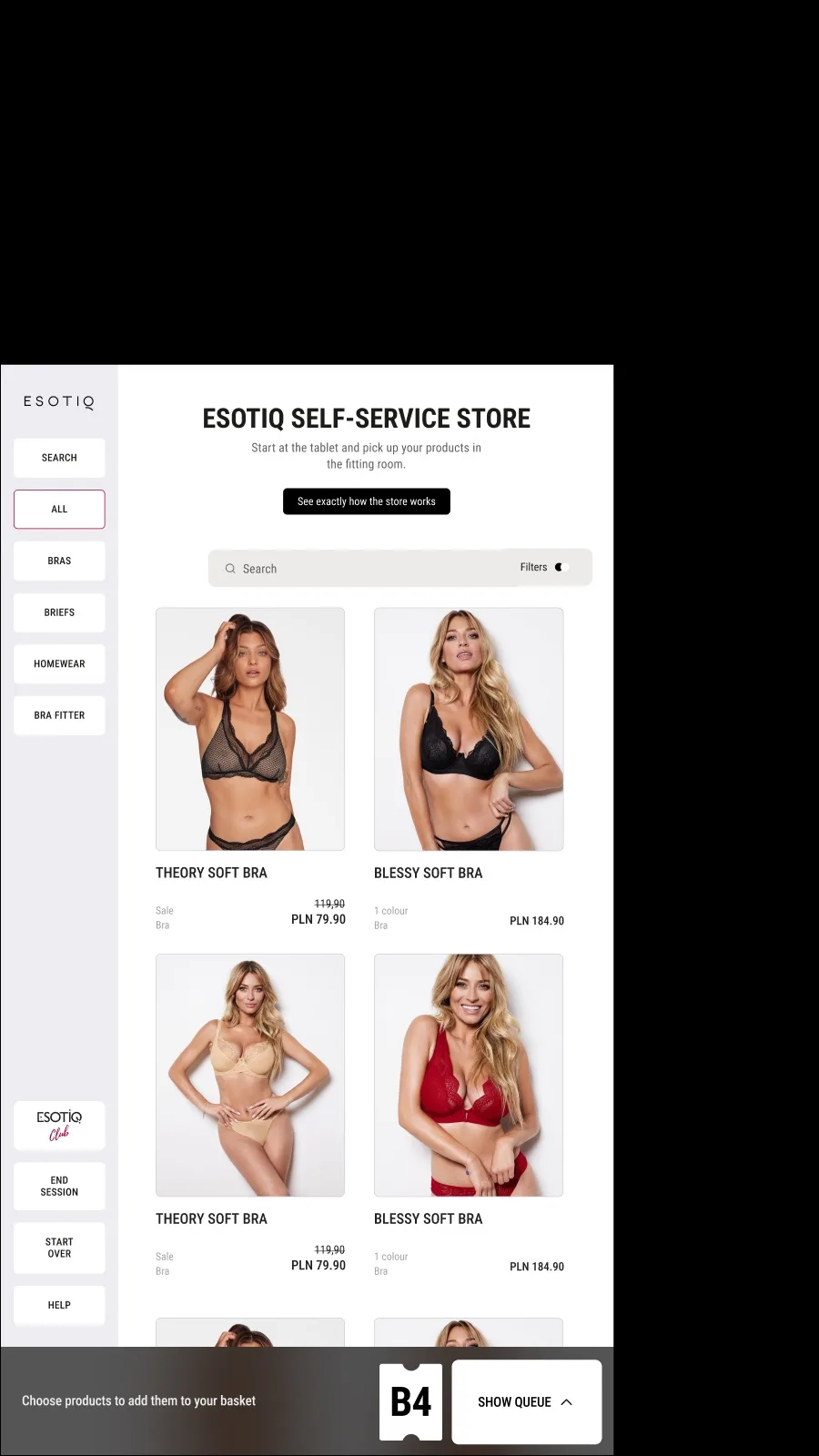
Screen: the self-service store catalogue
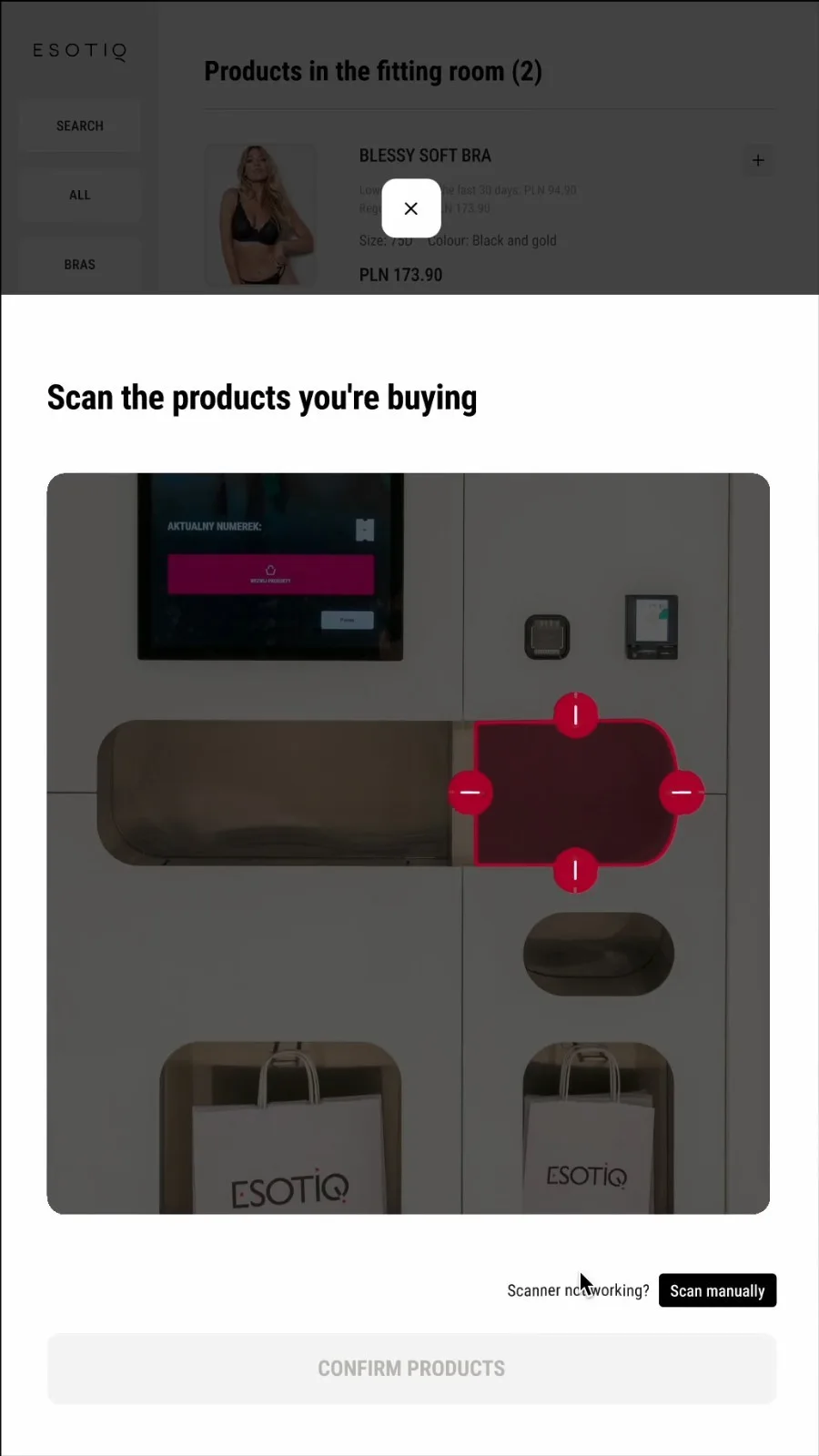
Screen: scan the products you're buying
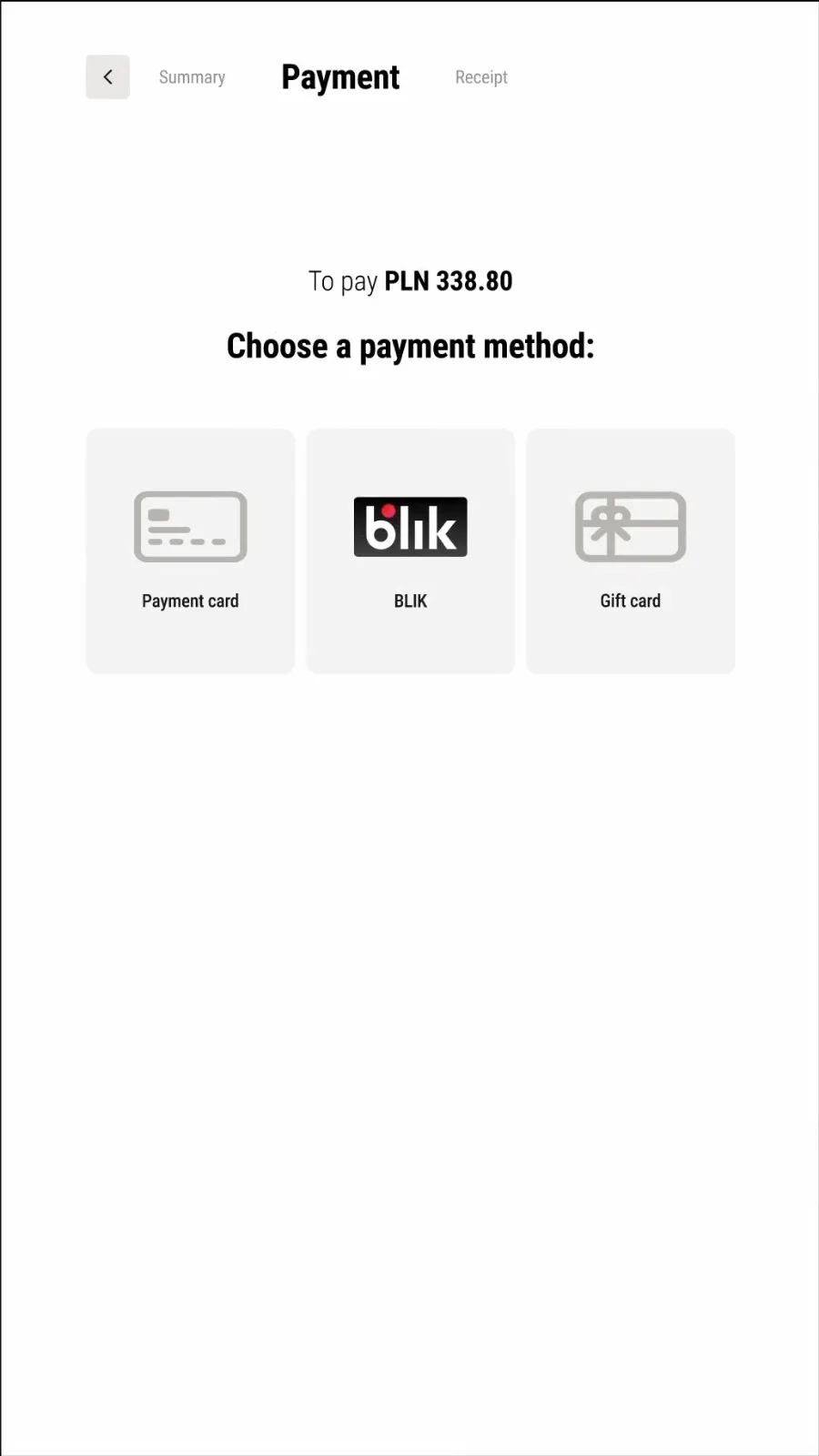
Screen: choose a payment method
[ 01 ]Take a number and go to the fitting room
[ 02 ]Choose your products
[ 03 ]Try them on and scan what you're buying
[ 04 ]Pay
FW®
[ 01 ] PROBLEM[ 02 ] SOLUTION[ 03 ] PROCESS13 / 22
// STEP 1 / 4 · THE QUEUE

First, pick a fitting room and join the virtual queue

IN THE STORE
01Queue
02Products
03Try on & scan
04Pay
FW®
[ 01 ] PROBLEM[ 02 ] SOLUTION[ 03 ] PROCESS14 / 22
// STEP 2 / 4 · PRODUCTS

Once you're in the fitting room, choose your products

IN THE STORE
01Queue
02Products
03Try on & scan
04Pay
FW®
[ 01 ] PROBLEM[ 02 ] SOLUTION[ 03 ] PROCESS15 / 22
// STEP 3 / 4 · TRY ON & SCAN

Try them on. Like them? Scan them by dropping them into the basket

IN THE STORE · THE SCANNING HATCH
01Queue
02Products
03Try on & scan
04Pay
FW®
[ 01 ] PROBLEM[ 02 ] SOLUTION[ 03 ] PROCESS16 / 22
// STEP 4 / 4 · PAYMENT

Pay for your products!

IN THE STORE
01Queue
02Products
03Try on & scan
04Pay
FW®
[ 01 ] PROBLEM[ 02 ] SOLUTION[ 03 ] PROCESS17 / 22
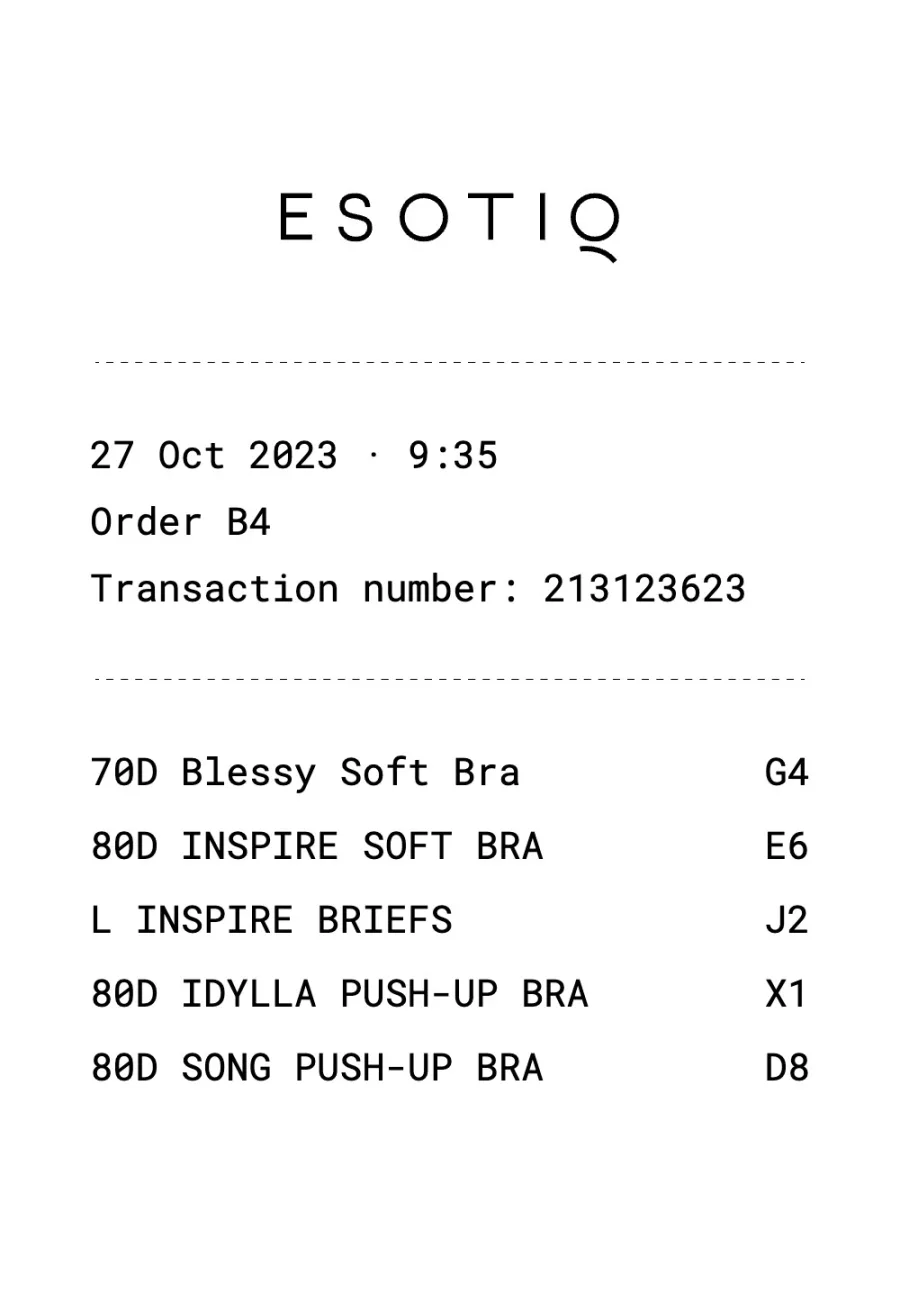
// THE RECEIPT

Congratulations! You get your receipt online and offline – in your Esotiq Club account

IN THE STORE
The Esotiq receiptRECEIPT
FW®
[ 01 ] PROBLEM[ 02 ] SOLUTION[ 03 ] PROCESS18 / 22
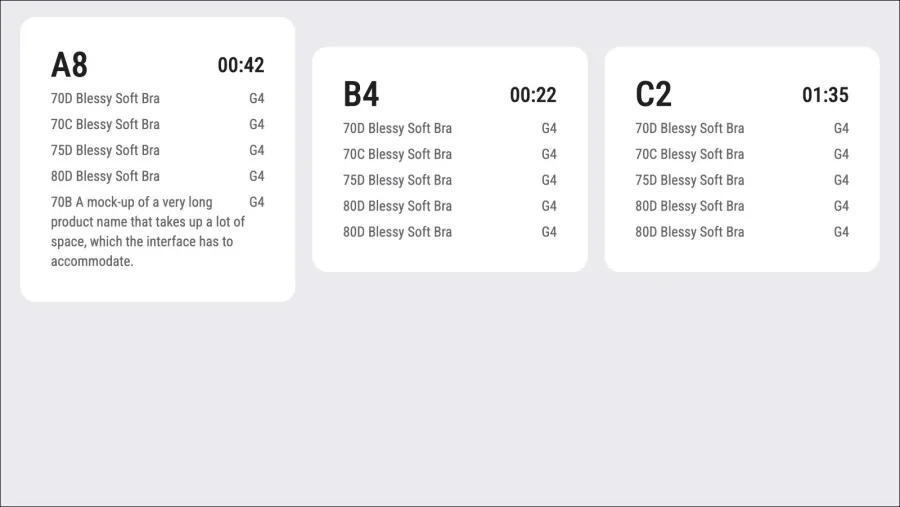
// LIVE QUEUES

Queues from all three starting points show up in the system live – and are announced in the store

Back office screen with live orders A8, B4 and C2BACK OFFICE · LIVE ORDERS
THREE WAYS IN · ONE QUEUE
Floor plan of the Esotiq store
ABC
FW®
[ 01 ] PROBLEM[ 02 ] SOLUTION[ 03 ] PROCESS19 / 22

Lo-fi screens, a cardboard lab and two rounds of usability tests.

[ 03 ] CHAPTERSLIDES 20–22

Process

FW®
[ 01 ] PROBLEM[ 02 ] SOLUTION[ 03 ] PROCESS20 / 22
// HOW WE WORKED

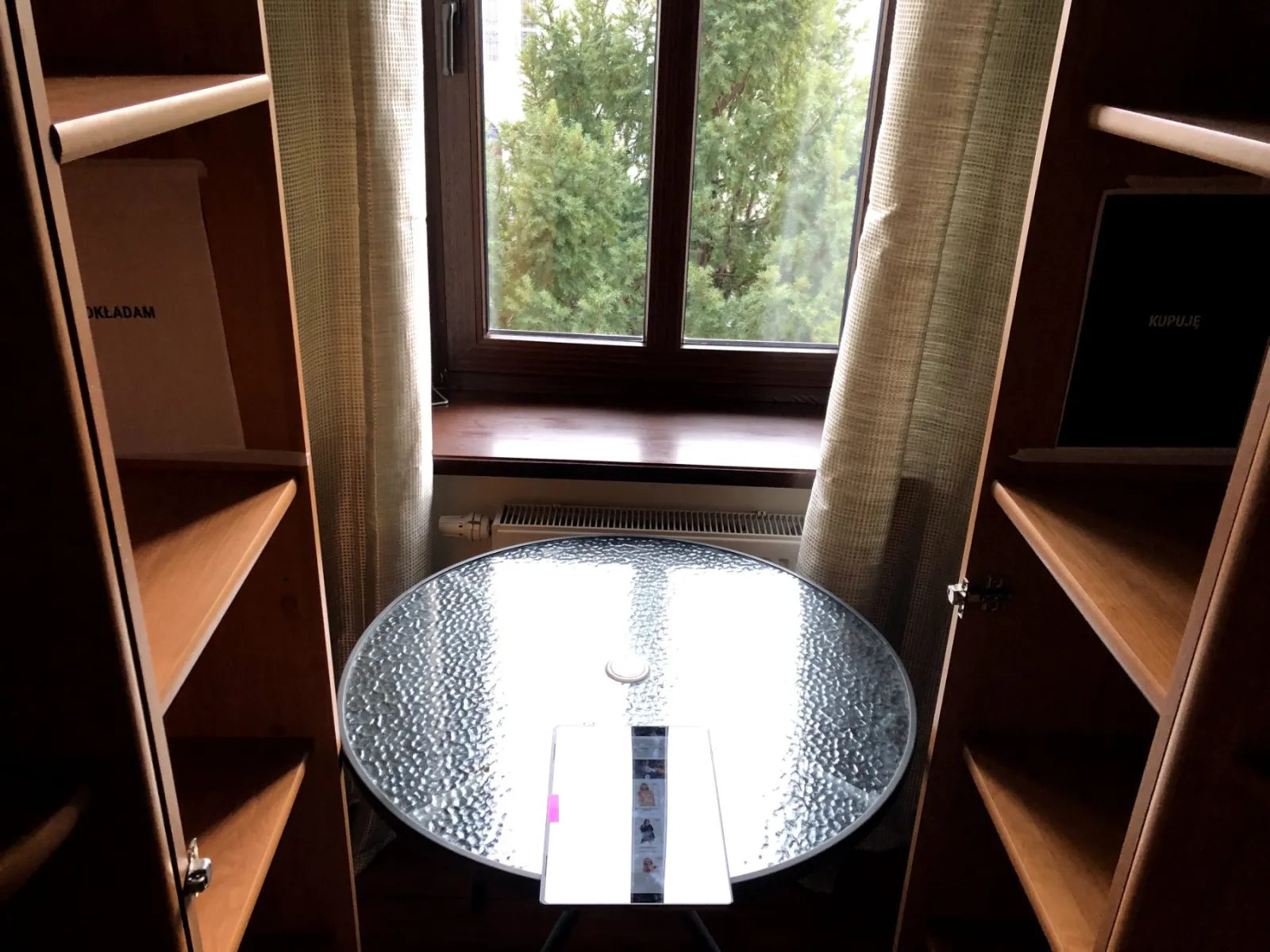
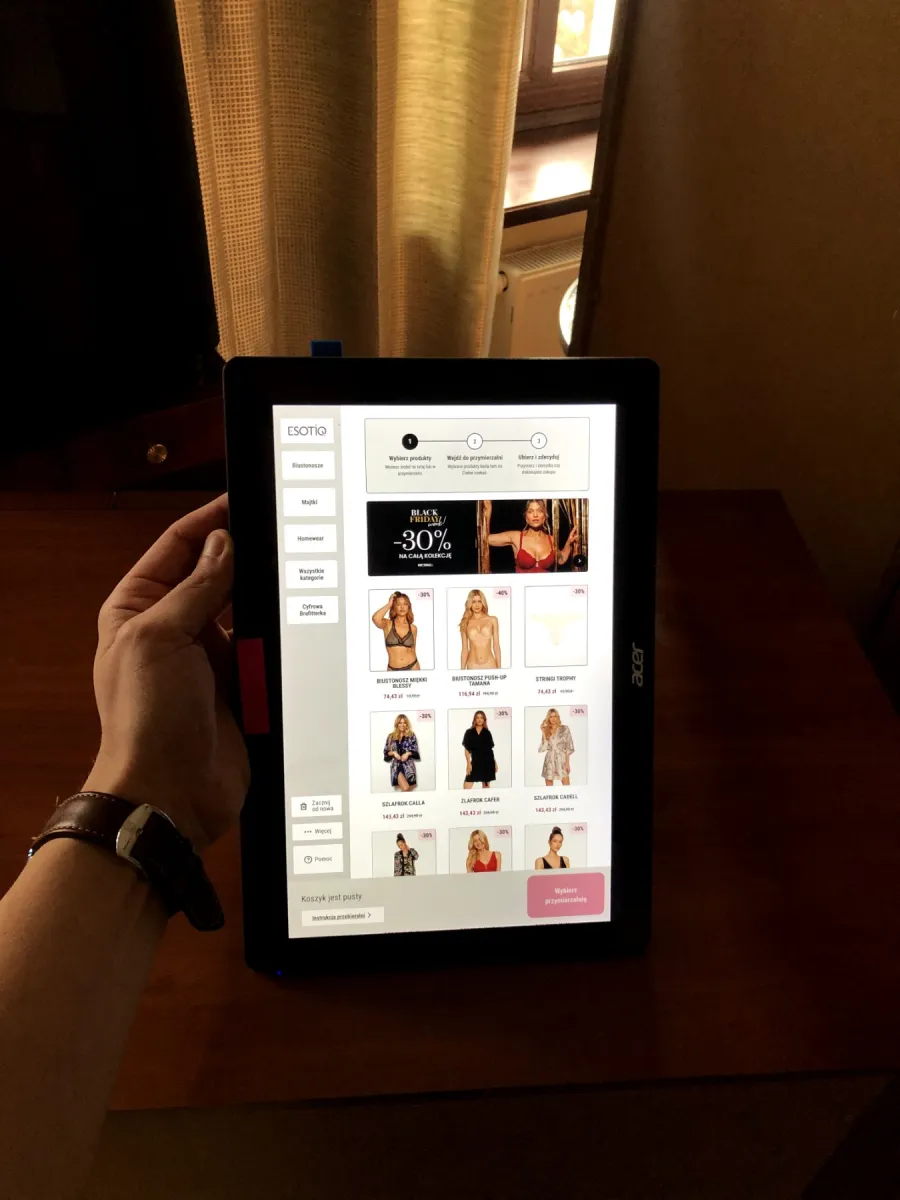
We built lo-fi mockups, then a physical lab out of cardboard

Lo-fi prototype of the store screens running on a tablet[ 01 ] LO-FI MOCKUPS
The test lab: a mock fitting room built for usability tests[ 02 ] THE CARDBOARD LAB
[ 03 ]

Our team acted as the in-store system. They handed out products and moved boxes :)

FW®
[ 01 ] PROBLEM[ 02 ] SOLUTION[ 03 ] PROCESS21 / 22
// WHY THIS PROCESS?

The store itself was still being built

And we wanted to test early and often.

FW®
[ 01 ] PROBLEM[ 02 ] SOLUTION[ 03 ] PROCESS22 / 22
// RESULTS

The results of this process

[ 01 ] TOTAL STEPS IN THE PROCESS15
from 25−40%
[ 02 ] ERRORS PER EXPERIENCE · AVG.0.4
from 5−92%
[ 03 ] TESTER SATISFACTION · AVG.4.82/5
from 3.3 / 5+46%
FW®
CASE STUDY01/22

Europe's first autonomous lingerie store

Designing a self-service experience – from the queue to the receipt

ESOTIQYOUR DISCREET LINGERIE BOUTIQUE
FW®
CASE STUDY02/22
// TL;DR
[ BEFORE ]

Idea / concept

FigJam board mapping how customers could join the queue
[ AFTER ]

Fully working store

You buy lingerie with no staff and no walking around the store – everything is delivered to a closed fitting room.

2ROUNDS OF USABILITY TESTS THAT LET US TEST EVERY STEP THOROUGHLY
FW®
[ 01 ] PROBLEM03/22

No staff inside. Separate fitting rooms. Queues that can start anywhere.

01
[ 01 ] CHAPTERSLIDES 04–09

Problem

FW®
[ 01 ] PROBLEM04/22
Customer in a closed fitting room with a touchscreen and product hatches
// THE PROBLEM

How do you design a lingerie store with no staff – where fitting rooms are separate and queues can form?

FW®
[ 01 ] PROBLEM05/22
// THREE WAYS IN

A customer can start the experience from three places

Floor plan of the Esotiq store
ABC
AOutside-of-store tablet
BIn-store tablets
CStraight to the fitting room
FW®
[ 01 ] PROBLEM06/22
// WAY IN · A · OUTSIDE-OF-STORE TABLET

From the tablet outside the store

Storefront: the queue tablet stands on the left, by the entrance
A← THE QUEUE TABLETIN THE STORE
Floor plan of the Esotiq store
ABC
FW®
[ 01 ] PROBLEM07/22
// WAY IN · B · IN-STORE TABLETS

From a tablet inside the store

Fitting room entrance with the wall-mounted tablet on the right
B↑ THE WALL TABLETIN THE STORE
Floor plan of the Esotiq store
A
BC
FW®
[ 01 ] PROBLEM08/22
// WAY IN · C · FITTING ROOM

Straight into the fitting room

IN THE STORE
Floor plan of the Esotiq store
ABC
FW®
[ 01 ] PROBLEM09/22
// TWO RELATED PROBLEMS
[ 01 ]

How do we give customers the greatest possible sense of intimacy throughout the experience?

Model in black Esotiq lingerie, seen from behind
Fitting room controls screen
FITTING ROOM CONTROLS
[ 02 ]

How do we assist people with disabilities and those less confident with technology?
Help screen
Store screen scaled down for wheelchair users
HELP · WHEELCHAIR VIEW 75%
FW®
[ 02 ] SOLUTION10/22

One flow – from taking a number to getting the receipt.

02
[ 02 ] CHAPTERSLIDES 11–18

Solution

FW®
[ 02 ] SOLUTION11/22
// THE STARTING POINT

Let's assume the experience starts at the tablet outside the store

Floor plan of the Esotiq store
ABC
Outside tablet screen: join the queue
[ A ] OUTSIDE-OF-STORE TABLETJoin the queue

Take a number and join the queue – before you even walk in.

FW®
[ 02 ] SOLUTION12/22
// THE FLOW

From taking a number to paying – in four steps
Screen: join the queue
[ 01 ]Take a number and go to the fitting room
Screen: the self-service store catalogue
[ 02 ]Choose your products
Screen: scan the products you're buying
[ 03 ]Try them on and scan what you're buying
Screen: choose a payment method
[ 04 ]Pay
FW®
[ 02 ] SOLUTION13/22
// STEP 1 / 4 · THE QUEUE

First, pick a fitting room and join the virtual queue

01Queue
02Products
03Try on & scan
04Pay
FW®
[ 02 ] SOLUTION14/22
// STEP 2 / 4 · PRODUCTS

Once you're in the fitting room, choose your products

01Queue
02Products
03Try on & scan
04Pay
FW®
[ 02 ] SOLUTION15/22
// STEP 3 / 4 · TRY ON & SCAN

Try them on. Like them? Scan them by dropping them into the basket

01Queue
02Products
03Try on & scan
04Pay
FW®
[ 02 ] SOLUTION16/22
// STEP 4 / 4 · PAYMENT

Pay for your products!

01Queue
02Products
03Try on & scan
04Pay
FW®
[ 02 ] SOLUTION17/22
// THE RECEIPT

Congratulations! You get your receipt online and offline – in your Esotiq Club account
IN THE STORE
The Esotiq receipt
RECEIPT
FW®
[ 02 ] SOLUTION18/22
// LIVE QUEUES

Queues from all three starting points show up in the system live – and are announced in the store
Floor plan of the Esotiq store
ABC
Back office screen with live orders A8, B4 and C2BACK OFFICE · LIVE ORDERS
FW®
[ 03 ] PROCESS19/22

Lo-fi screens, a cardboard lab and two rounds of usability tests.

03
[ 03 ] CHAPTERSLIDES 20–22

Process

FW®
[ 03 ] PROCESS20/22
// HOW WE WORKED

We built lo-fi mockups, then a physical lab out of cardboard
The test lab: a mock fitting room built for usability tests[ 02 ] THE CARDBOARD LAB
Lo-fi prototype of the store screens running on a tablet[ 01 ] LO-FI
[ 03 ]

Our team acted as the in-store system. They handed out products and moved boxes :)

FW®
[ 03 ] PROCESS21/22
// WHY THIS PROCESS?

The store itself was still being built

And we wanted to test early and often.

FW®
[ 03 ] PROCESS22/22
// RESULTS

The results of this process

[ 01 ] TOTAL STEPS IN THE PROCESS
15from 25
−40%
[ 02 ] ERRORS PER EXPERIENCE · AVG.
0.4from 5
−92%
[ 03 ] TESTER SATISFACTION · AVG.
4.82/5from 3.3
+46%